iPhone Duo simulator toolkit
Fold the Duo.
Shoot every locale.
Ship the ASC set.
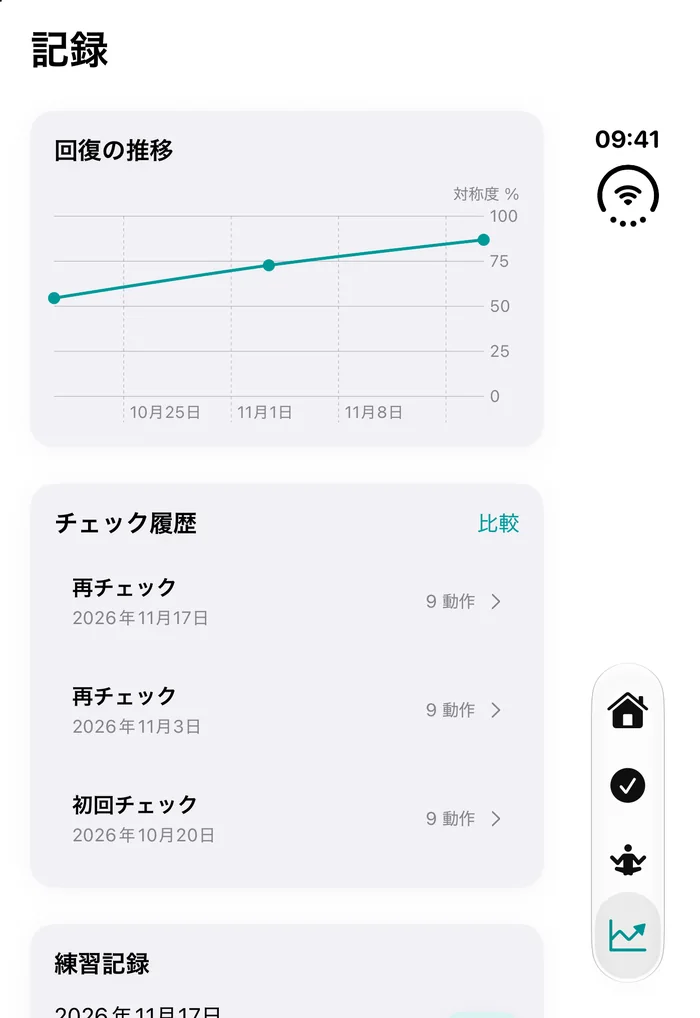
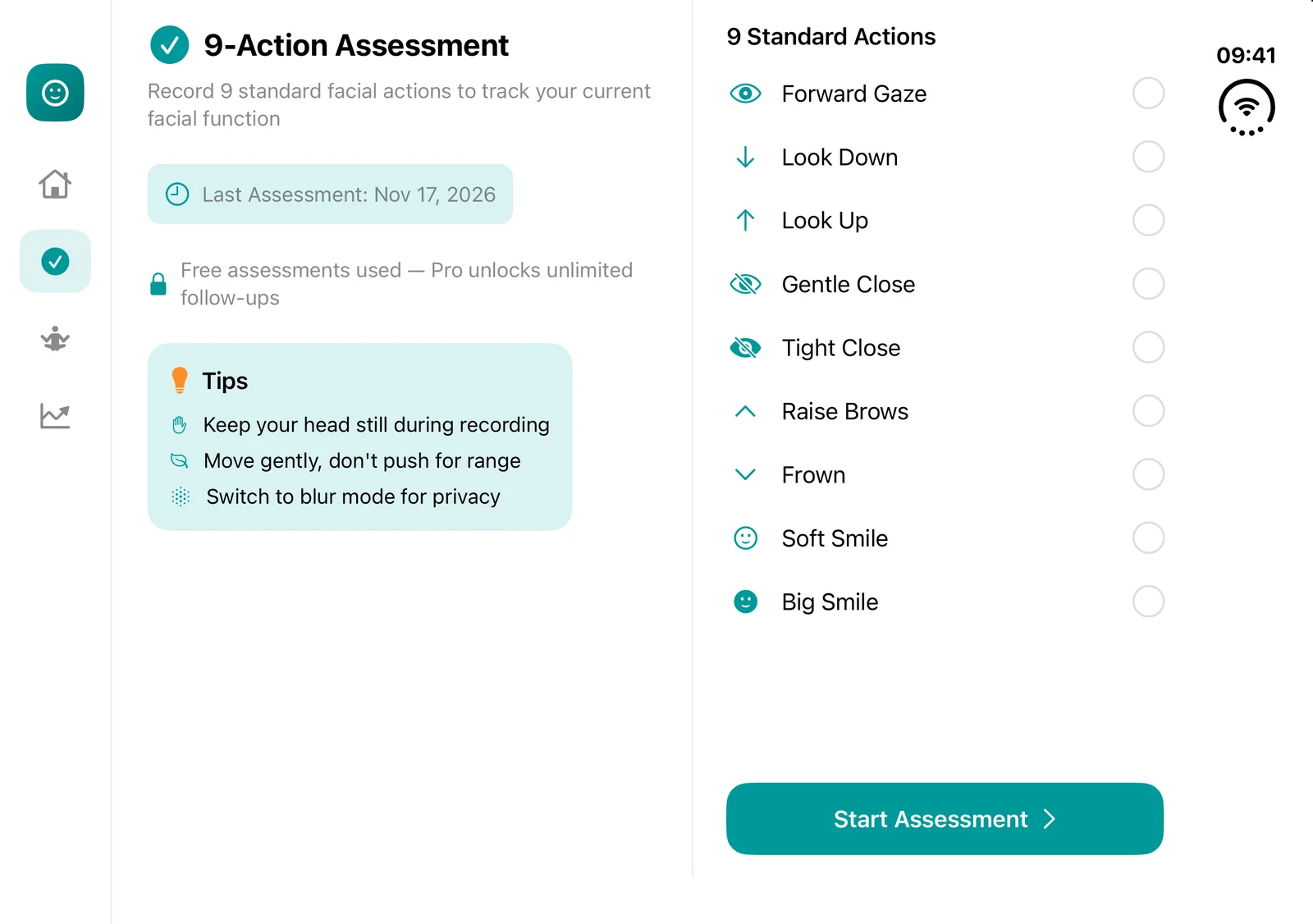
Xcode has no fold command and simctl can't screenshot the inner display. duokit wraps the hinge, captures 2853×2007 across locales and sections, lints your layout for foldable traps — and answers your coding agent over MCP.
CLI, lint and the MCP server stay free. Pro is a one-time purchase with lifetime updates.
- ✓Xcode 27.1+ · iOS 27 simulator
- ✓No Mac App Store, no sudo
- ✓Drops into APP_IPHONE_DUO
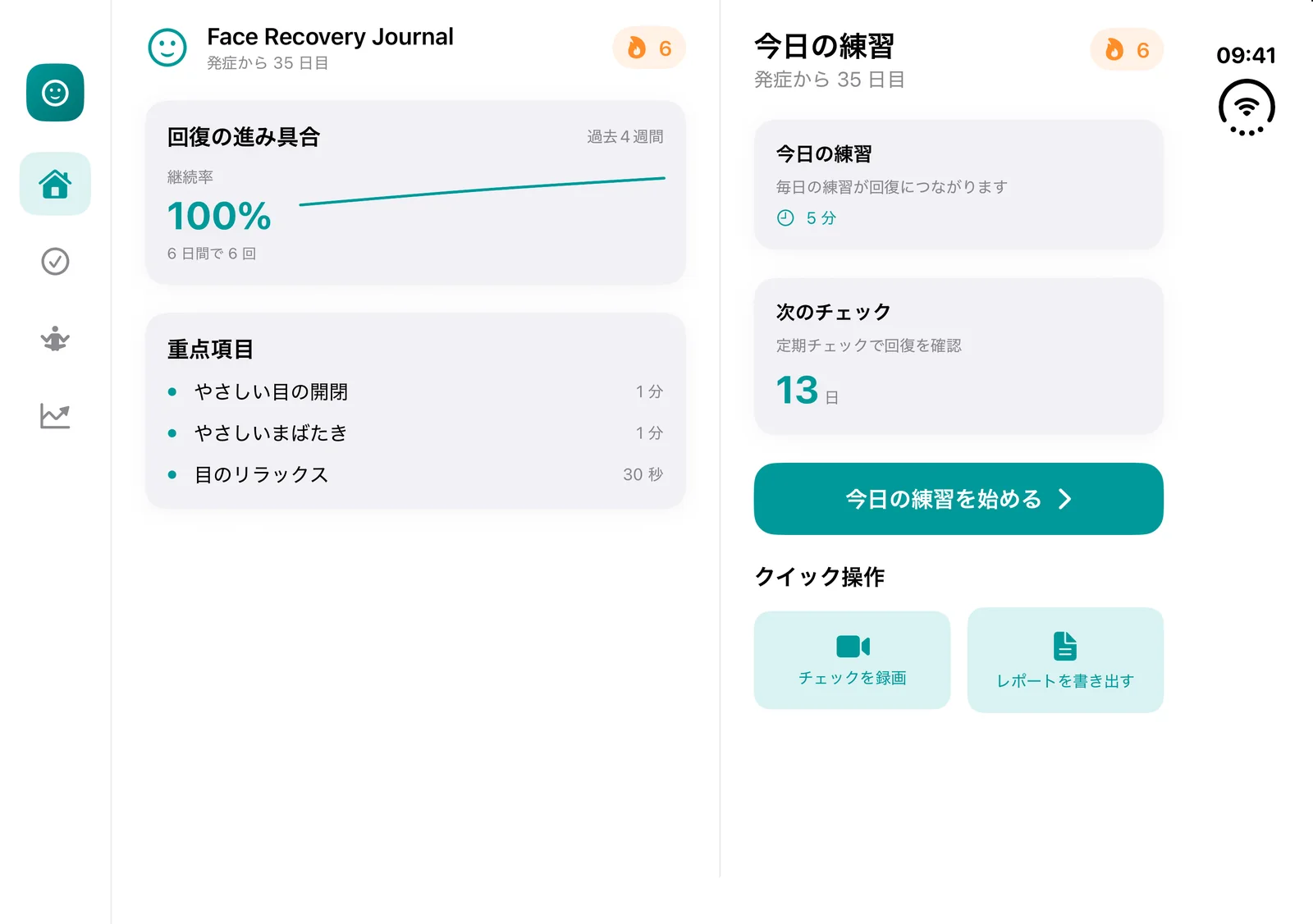
Three things block a Duo ship
simctl can't pick a display
The Duo has two screens. Without --display the screenshot simply fails.
Folded means the inner screen is off
You have to unfold first, then wait 1–2.5s for the display to switch.
Portrait-only apps don't rotate
Field-verified: the inner display ignores your orientation list unless landscape is enabled for iPhone.
One command, the whole ASC slot
Locales × sections, clean status bar, deterministic filenames. Every frame is checked — wrong size or a black frame is a failure, not a surprise at upload time.
$ duokit matrix --app FaceRecovery.app \
    --locales en,zh-Hans,ja \
    --sections home,assess,practice,records \
    --section-var FRJ_SECTION

  ✓ en       home       01-home.png      2853x2007
  ✓ en       assess     02-assess.png    2853x2007
  ✓ zh-Hans  home       01-home.png      2853x2007
  ✓ ja       home       01-home.png      2853x2007
  …
✓ 12 shots -> asc/APP_IPHONE_DUO$ duokit lint ~/NightWindow
1 errors 4 warnings 6 info
[D001] ERROR portrait-only on iPhone — the Duo inner
display will NOT auto-rotate (field-verified)
fix: add LandscapeLeft/Right to iPhone orientations
[D004] WARN Views/AmbientField.swift:27 .ignoresSafeArea()
inner top safe area is ~84pt, trailing strip ~81pt
[D007] WARN fixed frame width >= 500pt overflows the
466pt cover displayLint catches what screenshots hide
Static scan for the traps that only show up on a foldable: orientation lock, fixed widths against the 466pt cover, ignoresSafeArea under the 84pt inner inset.
Real output from a shipping app — one portrait lock and six safe-area risks.
Cover and inner, both first-class
Screenshot the display that actually hosts the UI. Folded returns the cover; unfolded returns the inner.
Your agent can fold it
duokit speaks MCP over stdio. Ask Claude Code or Cursor to fold the Duo, verify the layout, and shoot the set — the upgrade prompt shows up inside the session, not on a website.
$ claude mcp add duokit -- duokit mcp

▸ "fold the Duo to 90° and screenshot both displays"

duo_pose { angle: "90" }
  angle: 90.0 · inner display active
duo_screenshot → 2853x2007 ✓
duo_matrix → Pro tool (upgrade inside the session)
Pricing
Free
$0
- ✓Pose control: open / close / half / any angle
- ✓Active-display screenshots, clean 9:41 bar
- ✓Multi-device list, alias, default, boot
- ✓duokit lint — foldable layout scan
- ✓MCP server (5 free tools)
Pro
$19one-time
- ★matrix: locales × sections → ASC-ready shots
- ★Size + blank-frame verification with retry
- ★Poster / bezel export & ASC upload (roadmap)
- ★Runtime pose-sweep audit (roadmap)
- ★Lifetime updates
Install the free CLI
Python 3 (ships with Xcode CLT). Pillow is only needed for demo watermarks.
Questions
Does it work on a physical iPhone Duo?+
No. The hinge API is simulator-only — Apple exposes no fold control for devices. Lint and the matrix work against the simulator only.
What happens when a new Xcode breaks the hinge?+
The protocol is private. Pose control may need an update; lint, matrix layout and the MCP tools keep working. Updates are included.
Do I need an AI agent?+
No. Everything runs as a plain CLI. MCP is there for people who already build with Claude Code, Cursor or Codex.
How is a license delivered?+
You get a signed key on the success page and activate offline — no account, no phone-home.